Atos Yomani: No connection after software update
Has the connection with your terminal been lost after a software update?
You can resolve this by following the steps below:
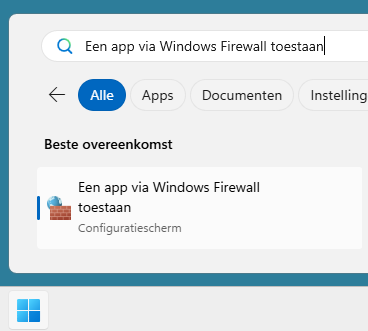
- Search in Windows for 'Allow an app through Windows Firewall'

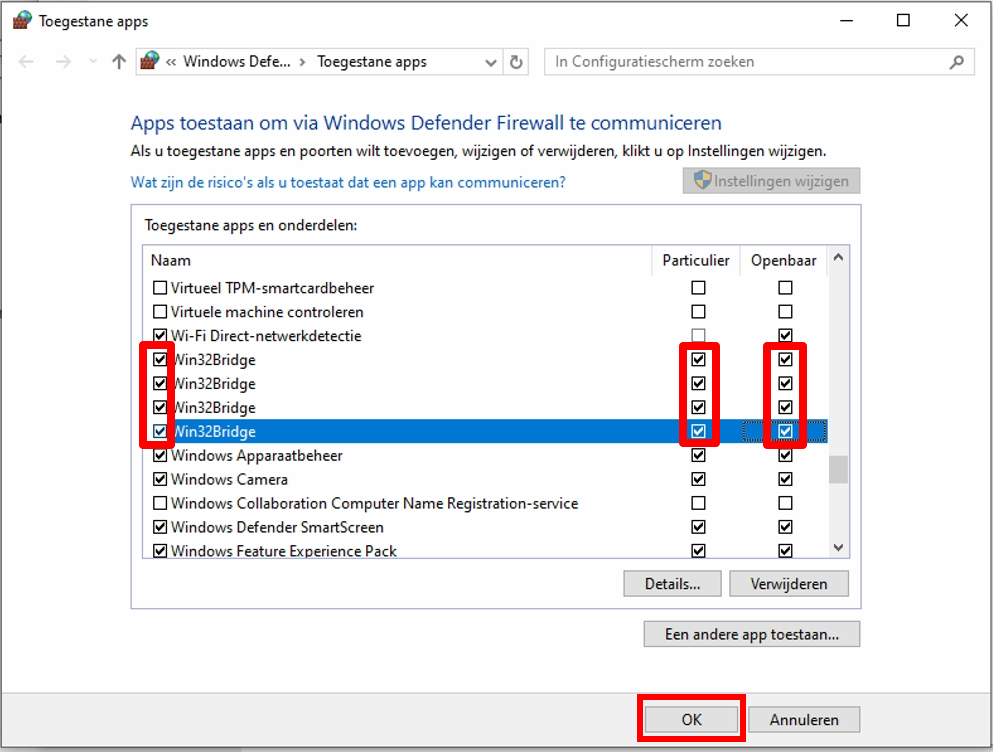
- Look for all entries named 'Win32Bridge' and enable both Private and Public for these items.

- Click 'OK' at the bottom of this window.
- Restart your POS application.
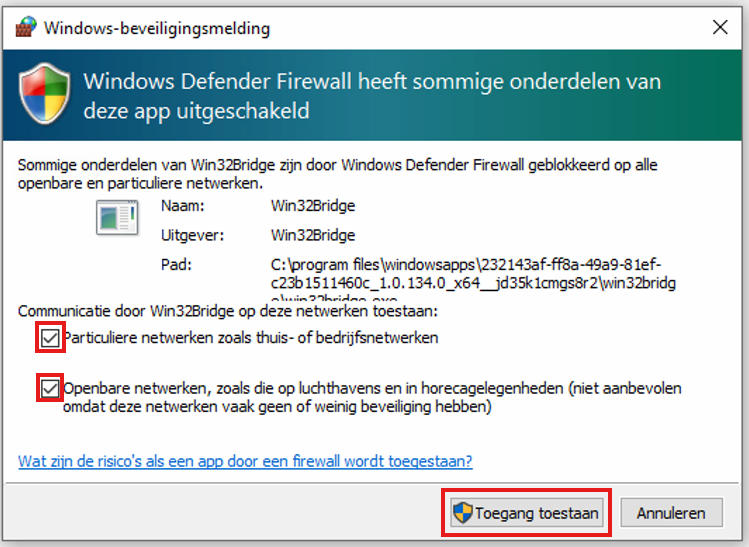
- If you receive a Windows Firewall notification, enable both Private and Public networks and click 'Allow'.

If this does not work or is unclear, feel free to contact our support team.