How it works
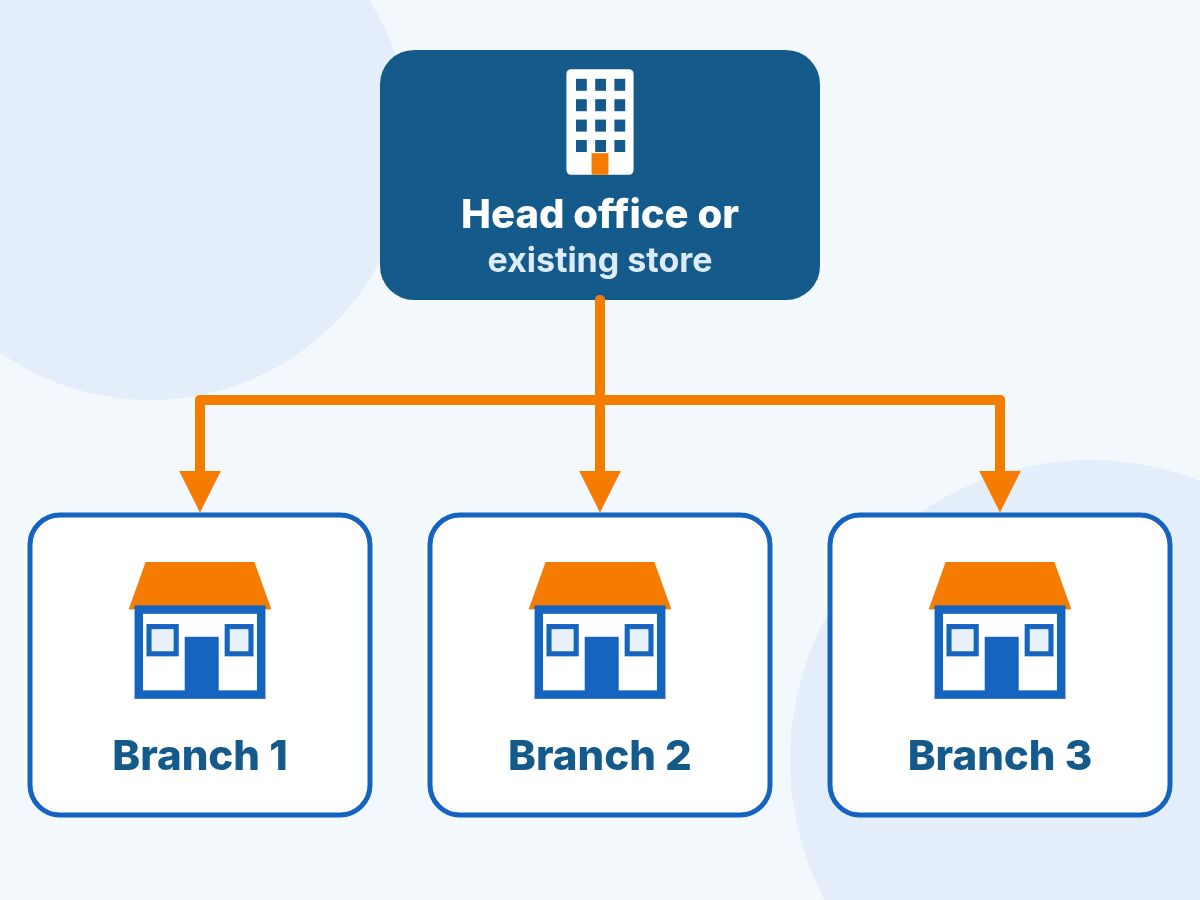
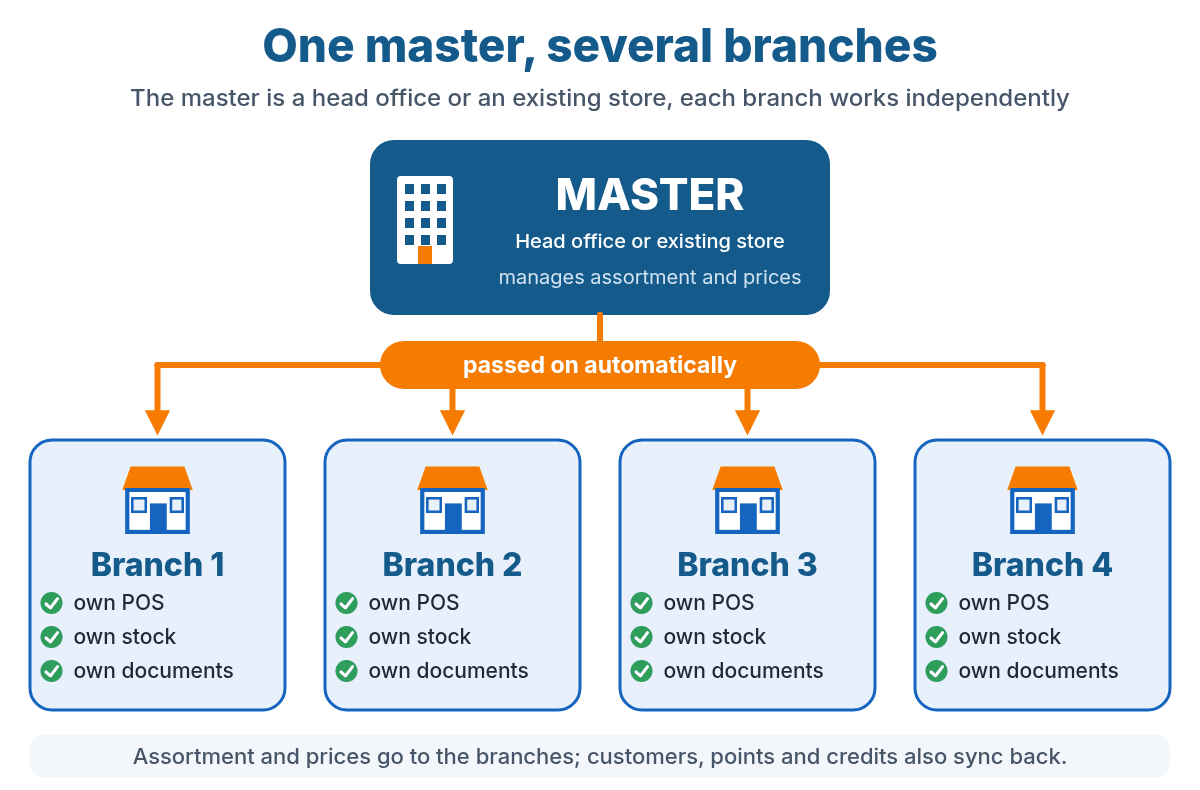
The master is your head office, or simply an existing store that takes on the role of master. So it does not have to be a separate account. We link one or more branches to it. Each branch is an account of its own with its own database.
- Onlinefact sets up the link. We link the branches to the master for you, on request.
- You choose per branch what is passed on. For example only the assortment, or also prices, discounts and customers.
- You manage centrally in the master. You change a product, price or promotion once.
- The branches take over the changes automatically. Changes reach the branches in real time.
- Each branch sells independently. With its own POS, its own stock and its own documents.
Products and customers are matched through their reference. So work with fixed, unique references.
Benefits of the master-branch link
-
One place for your base data
You manage products, categories, brands, options and discounts centrally in the master.
-
Uniform prices and promotions
You choose per branch whether the prices and promotions of the master are followed.
-
Less duplicate work
A change in the master automatically ends up in your branches.
-
Independent branches
Each branch has its own POS, stock, documents and users.
-
A new store up and running fast
With an initial copy of the master, a new branch is quickly ready to sell.
-
Overview for the head office
Revenue per store and in total, with export to Excel or CSV.
What is synchronised?
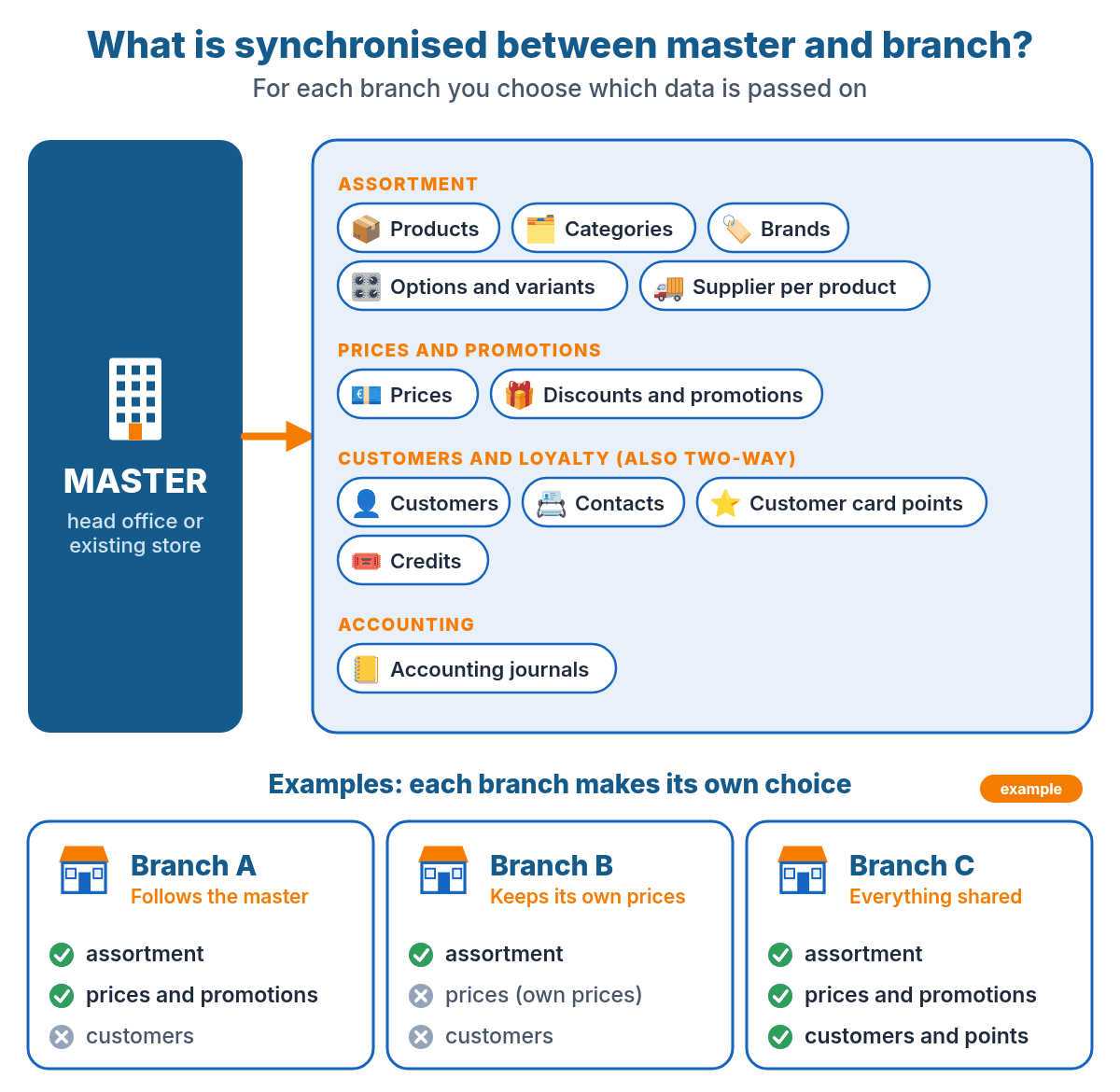
The master passes data on to the branches. For each branch you choose which items are passed on. That way one branch can follow everything and another only the assortment.
| Item | What happens in the branch? |
| Products | Product data is updated, such as description, reference, barcode and VAT code. New products can be created automatically in the branch. |
| Categories, brands and options | The category tree, the brands and the options or variants of the master. |
| Supplier per product | The supplier that is set on the product. |
| Prices | Through a link per price level, see below. |
| Discounts and promotions | The discount rules and promotions of the master. |
| Customers and contacts | Existing customers are updated and new customers can be created. This also works in both directions: a customer you create in a branch can also end up in the master and in the other stores. |
| Points system | The points balance (customer card points) and the credits of the customers, also in both directions. |
| Accounting journals | The accounting journals. |
Assortment, prices and promotions work in one direction: from the master to the branch. What a branch creates itself, such as a new product, does not flow back to the master. Customers, customer card points, credits and gift vouchers can synchronise in both directions.
Prices per branch
The same prices in all stores, or your own prices in one branch? You decide per branch.
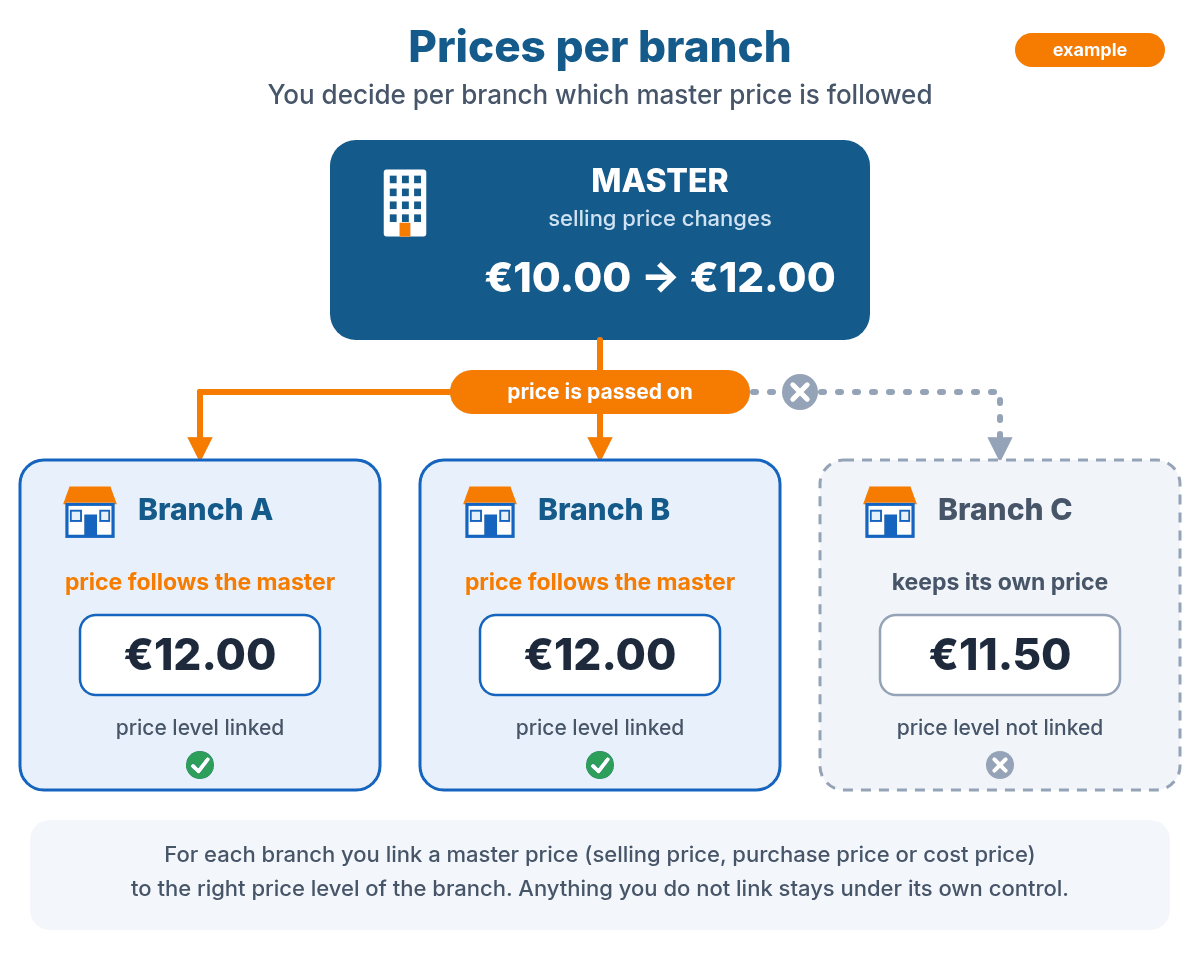
- For each branch you link a master price (selling price, purchase price or cost price) to the desired price level of the branch.
- A linked price follows the master. If the head office changes the price, the branch follows.
- A price you do not link is not passed on. The branch then keeps its own price.
The prices in the image are an example.
What stays separate per branch?
Each branch remains an independent business. This is what each store manages itself:
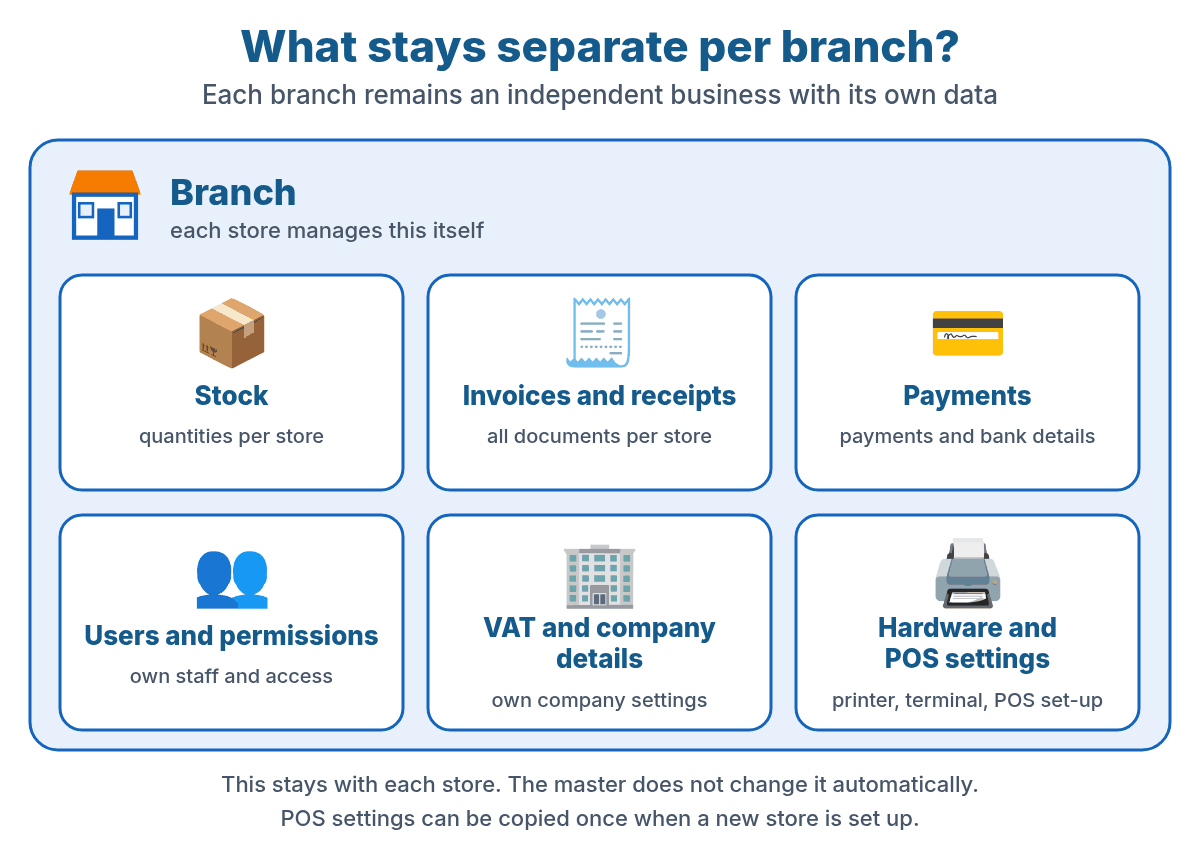
- Stock: stock is tracked per branch.
- Invoices, receipts and other documents are kept in the branch's account.
- Payments and bank details per branch.
- Users and permissions: each branch manages its own staff.
- VAT and company settings per branch. Only the VAT code of a product is passed on.
- Hardware and POS settings: printers, payment terminals and the POS set-up. POS settings can be copied once when a new store is set up.
More about inventory management in Onlinefact.
Gift vouchers, customers and points across all stores
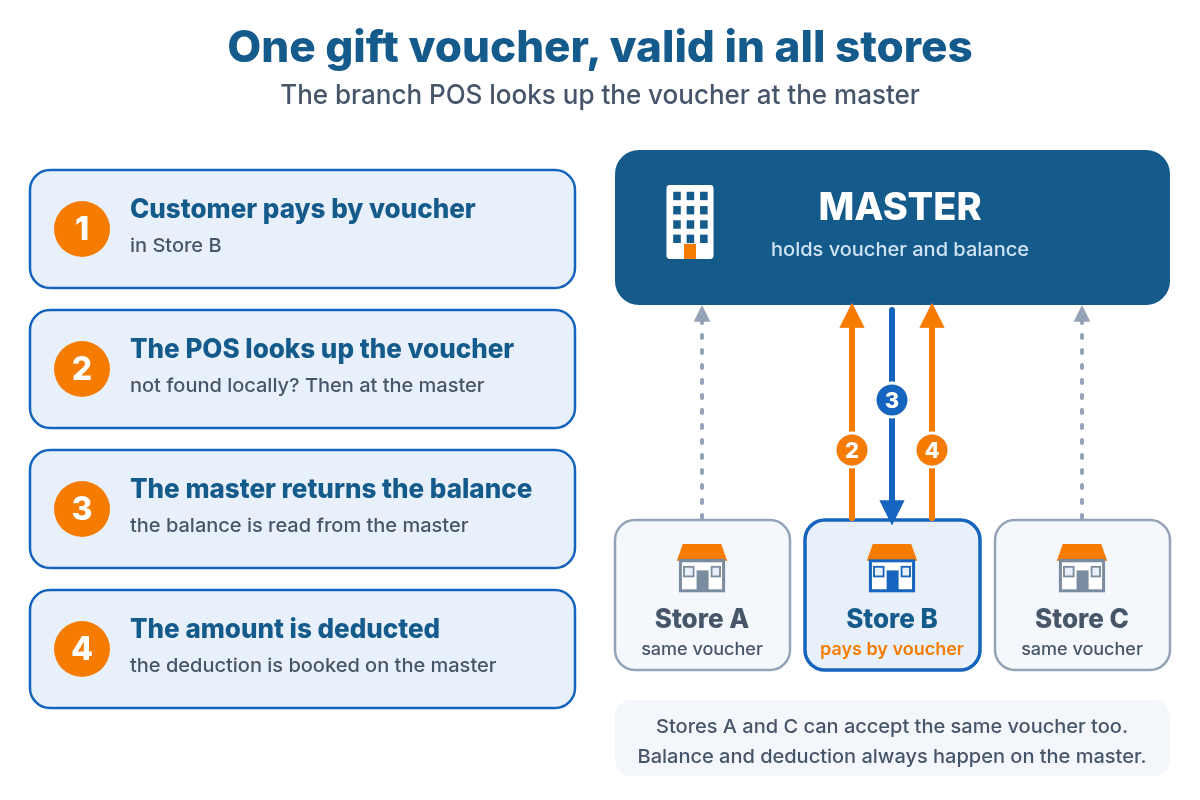
A gift voucher can be used in all stores. If a branch's POS does not find the voucher in the branch itself, it keeps looking at the master. The balance is read from the master and the amount is deducted on the master. A gift voucher can be sold in a branch as well as on the master and can then be used in all stores.
Customers and points
Do you want your customers to be recognised in every branch? Then you can synchronise customer data, customer card points and credits. Just like gift vouchers, this works in both directions: a customer or credit created or changed in a branch also ends up in the master and in the other stores. If a customer collects points in one branch, that balance also counts in the other stores.
Central reporting
The head office wants to know how each store is performing. In the master you see the sales of all linked branches in one place. The reports read the data of your branches directly, so you don't have to combine anything yourself.
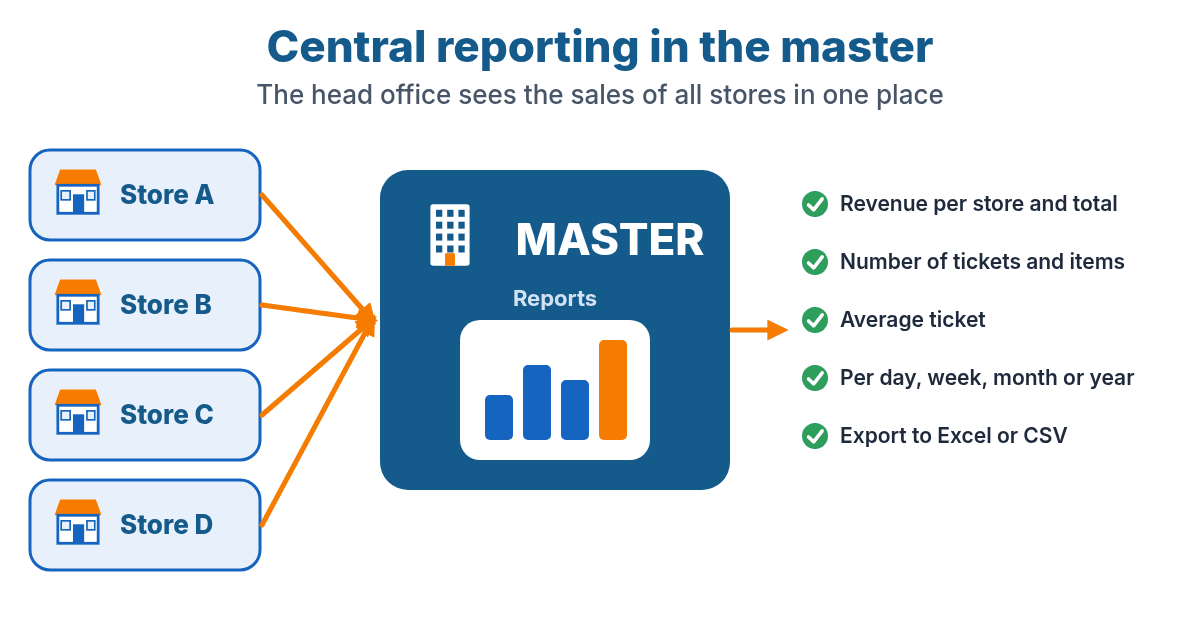
- Revenue per store and in total
- Number of tickets, number of items and average ticket
- Per day, week, month or year
- Export to Excel or CSV
Setting up a new store
Is a new branch opening? Then it is quickly ready with the data of your master.
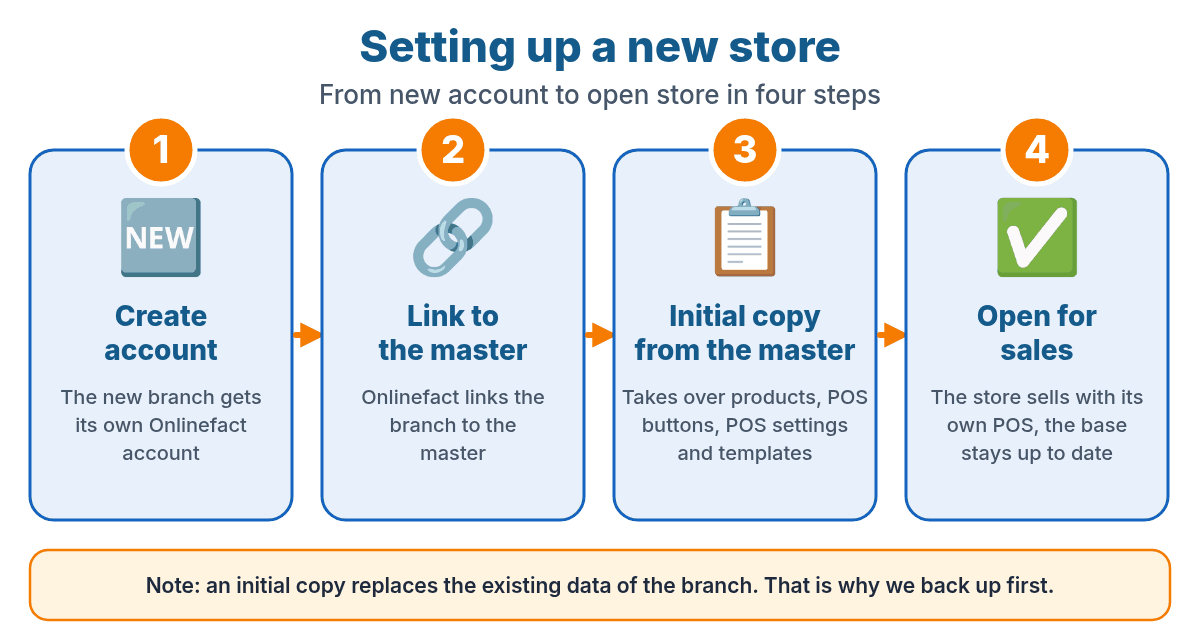
- Create the account. The new branch gets its own Onlinefact account.
- Link to the master. Onlinefact links the branch to the head office.
- Initial copy. Products, POS buttons, POS settings, relations and templates, reports and stickers are copied once from the master. A backup is made first.
- Open for sales. The store sells with its own POS and is then updated automatically through the link.
Please note: an initial copy replaces the existing data of that branch. So use it for a new store.
Good to know
- Passed on in real time. Changes in the master reach the branches in real time.
- The master wins. If you change something in a branch that is passed on from the master, such as a price or description, it will be overwritten the next time it is passed on. If a branch wants to manage something itself, do not have that item passed on.
- VAT codes must match. The VAT code of a product is passed on, so the VAT settings of master and branch must be aligned.
- Fixed references. Products and customers are matched through their reference. Use unique, fixed references.
- Products do not flow back. New products that are only created in a branch do not end up in the master. Customers, customer card points and credits can, however, be synchronised in both directions.
Frequently asked questions
Does the master have to be a separate account?
No. The master can be a separate head-office account, but also an existing store. That way you can start with your current store and link new branches to it.
Who sets up the link?
Onlinefact sets up the link for you. You cannot set it up yourself: get in touch and we will look together at which branches you want to link and what needs to be passed on.
Can each branch have its own prices?
Yes. Per branch you either link the prices of the master or you don't. A branch whose prices are not linked keeps its own prices.
What about stock?
Stock is tracked per branch and is not passed on between the stores.
Are invoices and receipts shared?
No. Invoices, receipts and other documents stay in the branch's account. The head office sees the sales figures in the reports of the master.
Does the link work in real time?
Yes. Changes in the master are passed on to the branches in real time.
Can customers and points be shared?
Yes, if you want. Customer data, customer card points and credits can synchronise in both directions, just like gift vouchers. That way customers and their balance are recognised in all stores.
Is there central reporting?
Yes. In the master you see, among other things, the revenue, the number of tickets, the number of items and the average ticket per store and in total, with export to Excel or CSV.
Can I set up a new store quickly?
Yes. After linking to the master, Onlinefact can make a one-time initial copy of, among other things, products, POS buttons, POS settings and templates. After that, the link keeps the assortment up to date.
Franchise or multiple stores? Ask about the options
Briefly tell us how many stores you have and what you want to manage centrally. Together we will look at what is possible and on what terms.
Prefer the phone? Call us on 078 70 02 02.