POS system for phone shops

Repairs, cases and business customers in one system.

A till for your phone shop that brings repairs, cases and business customers together in one system

With the Onlinefact POS system you follow up every screen repair with a digital work order, sell cases per device model with their own barcode and create an invoice for companies in a few clicks.

A phone shop is a store and a workshop at the same time. At the counter you sell chargers and screen protectors, at the back a device with a cracked screen lies open, and in between a company asks for a price on ten cases for its staff. Onlinefact runs on a Windows touchscreen or computer at your counter; work orders, stock and invoices are managed in the browser. Try it free for 30 days.

More about the Onlinefact POS system

Try it

Test Onlinefact free for 30 days in your phone shop, with no obligations. Want to see a work order in action first? Call 078 70 02 02 for a demo.

Yes please!

A cracked screen, from the counter to collection

A repair takes a few days and passes through several hands. With a digital work order nothing gets lost along the way.

  1. The device comes in
    You create a work order in the customer's name, note the problem and take a photo of the damage. The customer signs on the screen to agree.
  2. A deposit
    If a part has to be ordered, you record on the work order the deposit the customer pays up front.
  3. At the workbench
    The work order is assigned to your technician. They enter the parts used, and a start and end time also records the working hours.
  4. Ready for collection
    You change the colour status of the work order and email it to the customer, so they know the device is ready.
  5. Invoicing
    From the work order you create the invoice in one click, with the parts and hours on it.
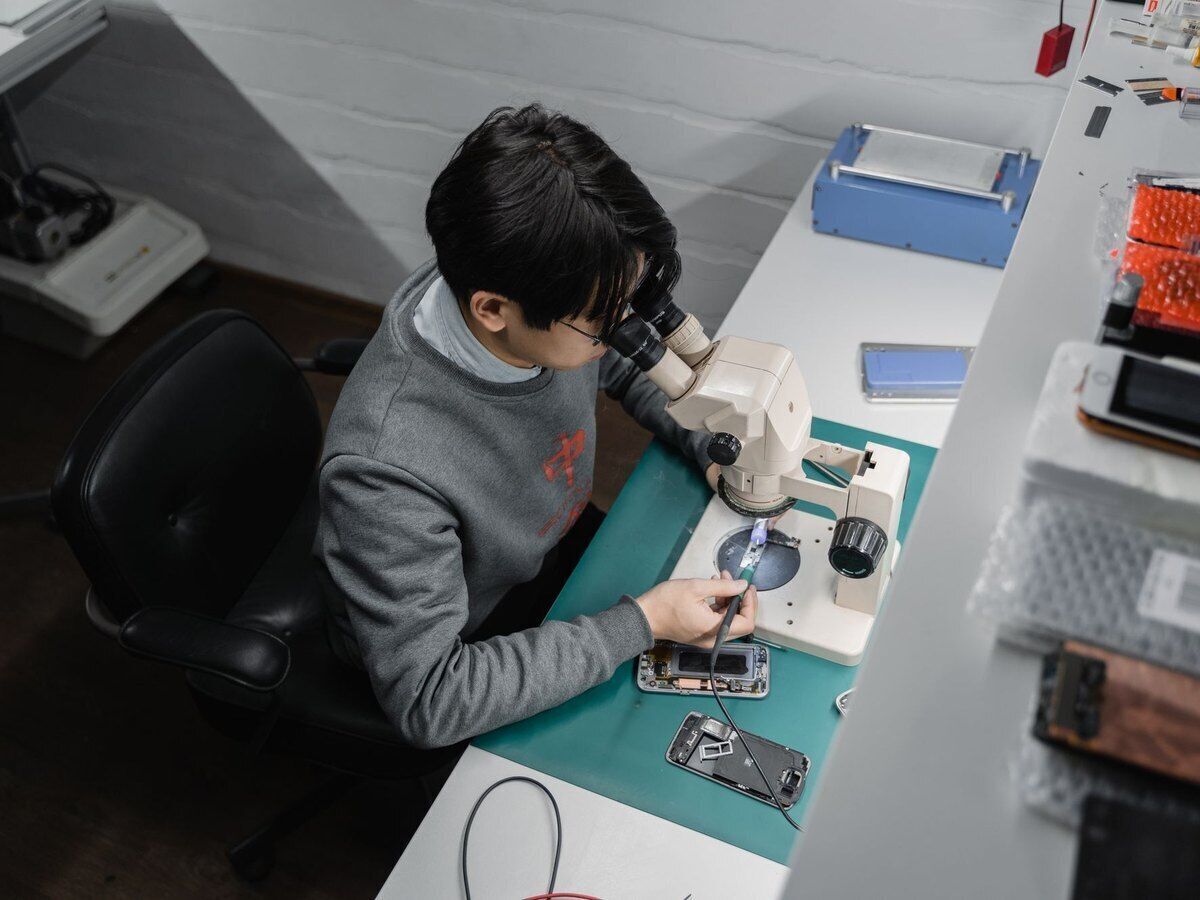
Following up repairs with the digital work order

A digital work order brings together the hours, parts, photos, notes and attachments. You assign every work order to a staff member, and a colour status shows at a glance what has just come in, what is being repaired and what is ready. The customer signs on the spot and receives the work order by email. When the job is done, the work order becomes an invoice in one click.

  • Work order assigned to a technician
  • Photo of the damage on the work order
  • Work order becomes an invoice in one click

More about invoicing with Onlinefact

Six reasons why phone shops choose Onlinefact

  • A work order per repair

    Hours, parts, photos and notes in one place.

  • Customer signature

    Signed on the screen on the spot.

  • Colour status

    See straight away which devices are ready.

  • Cases per device model

    Every model and colour scanned and counted separately.

  • Company details fetched

    The VAT number is all you need for the invoice.

  • Exchanges via the receipt

    The original sale is back on screen with one scan.

Cases and screen protectors per device model and colour

The same case exists for dozens of devices and in several colours. You create it as one product with variants per model and colour, each with its own barcode and stock. When a customer asks for a case for an older model, you look it up at the till and a green or red dot tells you whether it is still in stock. With a minimum stock per variant, the 'To order' report shows which models to restock.

  • A variant per device model and colour
  • Stock looked up at the till
  • Minimum stock per variant

More about stock management

Business customers and larger orders

A company buys chargers and cases for its staff and wants an invoice. You enter the VAT number, the company details are fetched, and you turn the receipt into a till invoice straight away. For a larger order you first make a quote, which becomes an order or invoice in one click once it is accepted. You send the invoice by email or via Peppol, and your accountant automatically gets a daily email with your invoices.

More about invoicing with Onlinefact

“A customer who hands in their phone hands in part of their day. They want to know where it is.”

With a work order, a colour status and an email when the device is ready, you answer that question without searching.

Chargers, cables and earphones at the counter

Accessories are often impulse buys, so checkout has to be quick. You scan the packaging, and with a quantity discount anyone taking two cables automatically pays less. A linked terminal sends the total to the card reader without retyping, and with Bancontact Pay your customer pays via a QR code holding the right amount. Regulars collect points with the loyalty card.

  • Quantity discount on cables
  • Amount sent to the terminal without retyping
  • Points on the loyalty card

See the payment terminals

Questions from phone shops

Can every technician see their own work orders?

Yes. You assign every work order to a staff member or technician, so everyone knows which repairs are theirs.

Does the till also run on a Mac?

The till software runs on Windows. The back office, with your work orders, stock and reports, opens in the browser, on a Mac as well.

How do exchanges work if a case does not fit?

You scan the barcode on the receipt, return that line and ring up the right case, or you hand over a credit voucher.

Can I run several shops with one product range?

Yes. With a master-slave set-up your main account passes products and prices on to your other shops, and gift vouchers are valid in every shop.

Ready to manage your phone shop and your repairs together?

Test Onlinefact free for 30 days in your phone shop, with no obligations. Want to see a work order in action first? Call 078 70 02 02 for a demo.

Contact us   Discover the POS system

Request Demo
Request Information